Shortcut to create new file under current folder in macOS
0xBF
The year is 2021 and there is still no “New Text File” in folder’s context menu in macOS.
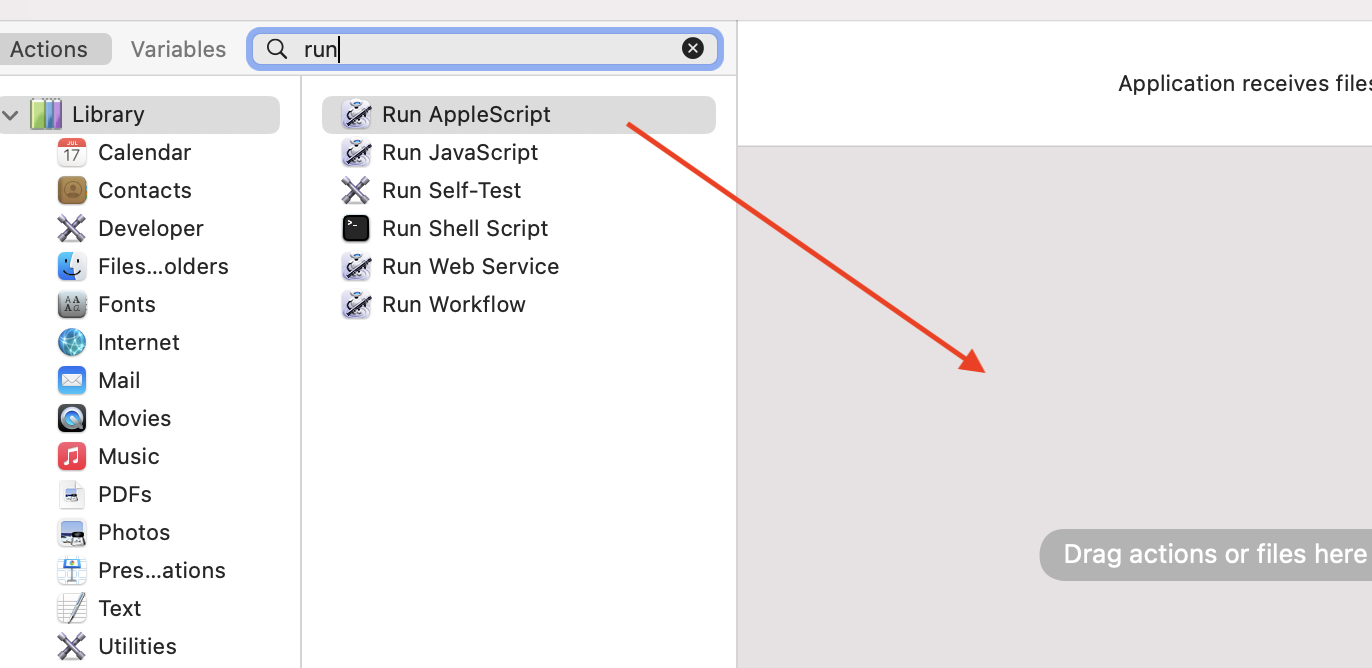
To add a quick button for it, we could use automator. 1, Open the “Automator” app, choose “New Document > Application”, choose “Run Apple Script”, and drag to the workflow window 2, In the Apple Script content, paste the code below:
set file_name to"untitled" -- here we define the extension, I use .md, change to .txt if you want set file_ext to".md" set is_desktop tofalse
-- get folder path and if we're in desktop (no folder opened) try tellapplication"Finder" set this_folder to (folder ofthefront Finder window) asalias endtell onerror -- no open folder windows set this_folder topath to desktop folder asalias set is_desktop totrue endtry
-- get the new file name (do not override an already existing file) tellapplication"System Events" set file_list togetthenameofevery disk itemof this_folder endtell set new_file to file_name & file_ext set x to1 repeat if new_file isin file_list then set new_file to file_name & " " & x & file_ext set x to x + 1 else exitrepeat endif endrepeat
-- create and select the new file tellapplication"Finder" activate set the_file to make new fileat folder this_folder with properties {name:new_file} if is_desktop isfalsethen reveal the_file else select window of desktop set selection to the_file delay0.1 endif endtell
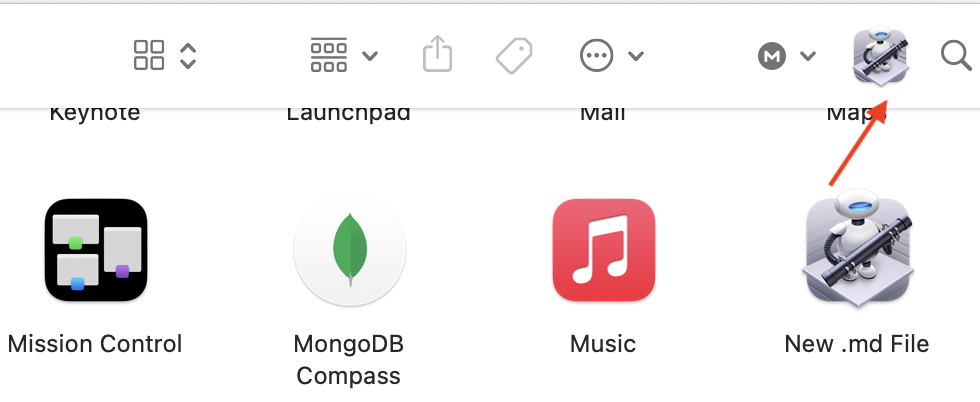
3, Click “File > Save”, name it “New .md File”, and save it to “/Applications” folder 4, Open your applications folder, find the “New .md File” app, hold the cmd key and drag the app to “Finder”‘s toolbar:
Now we can go to any folder then click that icon, then a new untitled.md file will be created inside that folder.