Update github credential for git clone/push in macOS
Problem
Github removed password authentication on August 13, 2021, if you are still using password auth, you will fail to do git push.
Solution
Change your saved password to “Personal Access Token”.
Step 1
Go to Github’s personal access token page, click “Generate new token”, and check the “repo” group permissions. Once done, it will generate a token. Copy this token.
Step 2
Open the “Keychain Access” app, search “github”, you will see a “Internet password” item, double click it, you will the the details window:
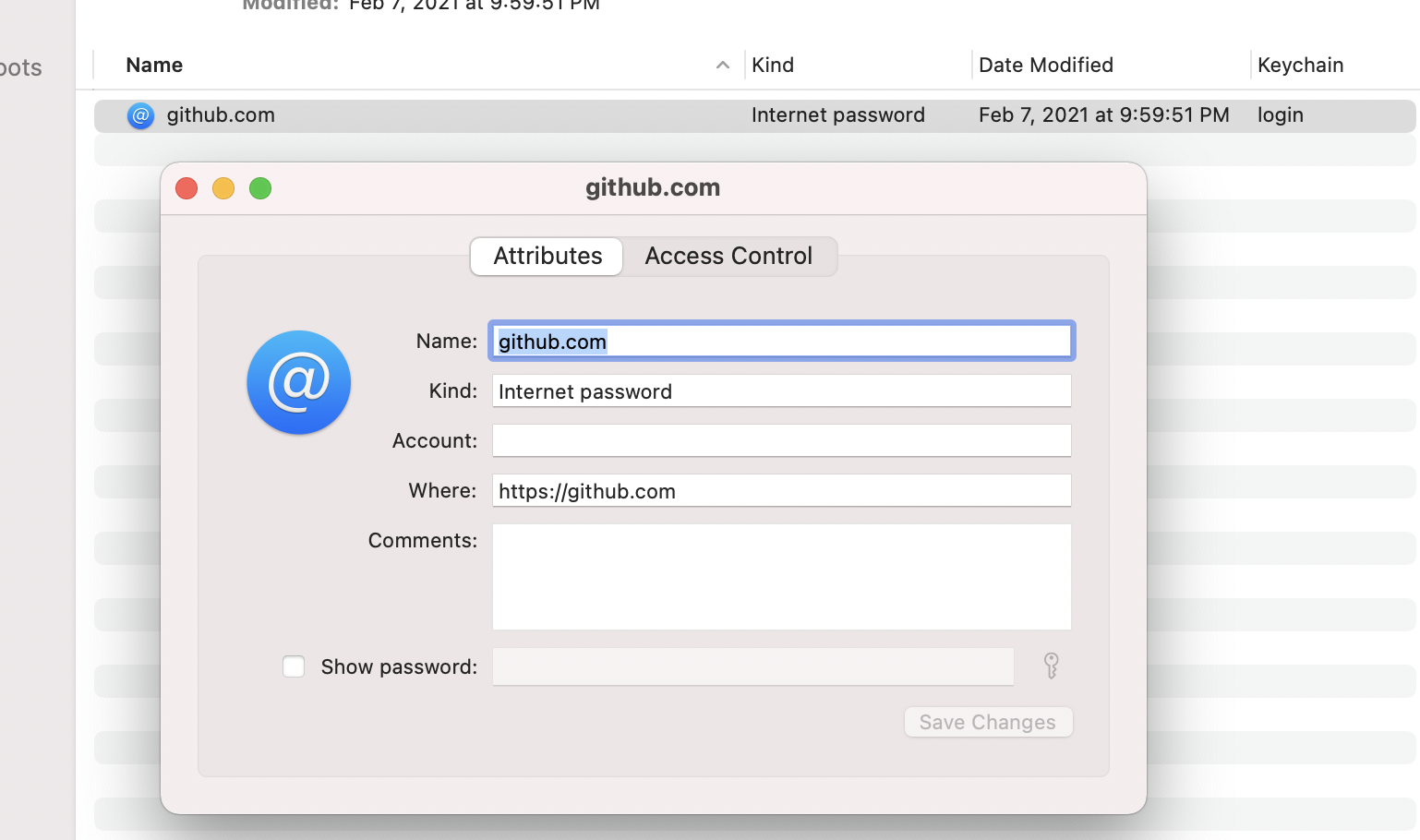
Check the “Show password”, then change it to the token you generated in the first step, click “Save changes”. Now go back to your terminal, the git push should work.