Sign wails app for macOS
Problem
Once you built the wails application, if you want other mackbooks to open it, you need to sign it. Otherwise, in other macbook, it will directly show the app cannot be opened with only one “Move to trash” option
Solution
You can use gon to sign it.
Steps:
1, Install gon
1 | brew install mitchellh/gon/gon |
2, Check if you have apple cert for applcation signing:
1 | security find-identity -v -p codesigning |
if you found any item that listed as “Developer ID Application”, grab the string before it as its ID, like 88422442...52767439C5.
If you have multiple like mine here, you can just use any of them. Now you can go to step 4. If you didn’t see any item marked as “Developer ID Application”, go to step 3

3, Create cert for “Developer ID Application”
You can do this with Xcode:
Open xcode, go to “Preference > Account”
Click “Manage certificates” in the bottom right.
In the pop-up modal, click “+” on the bottom-left, then choose “Developer ID Application”. (Please notice, you have to sign in to your Apple ID’s root/admin account, otherwise, you won’t see the “Developer ID Application” option)
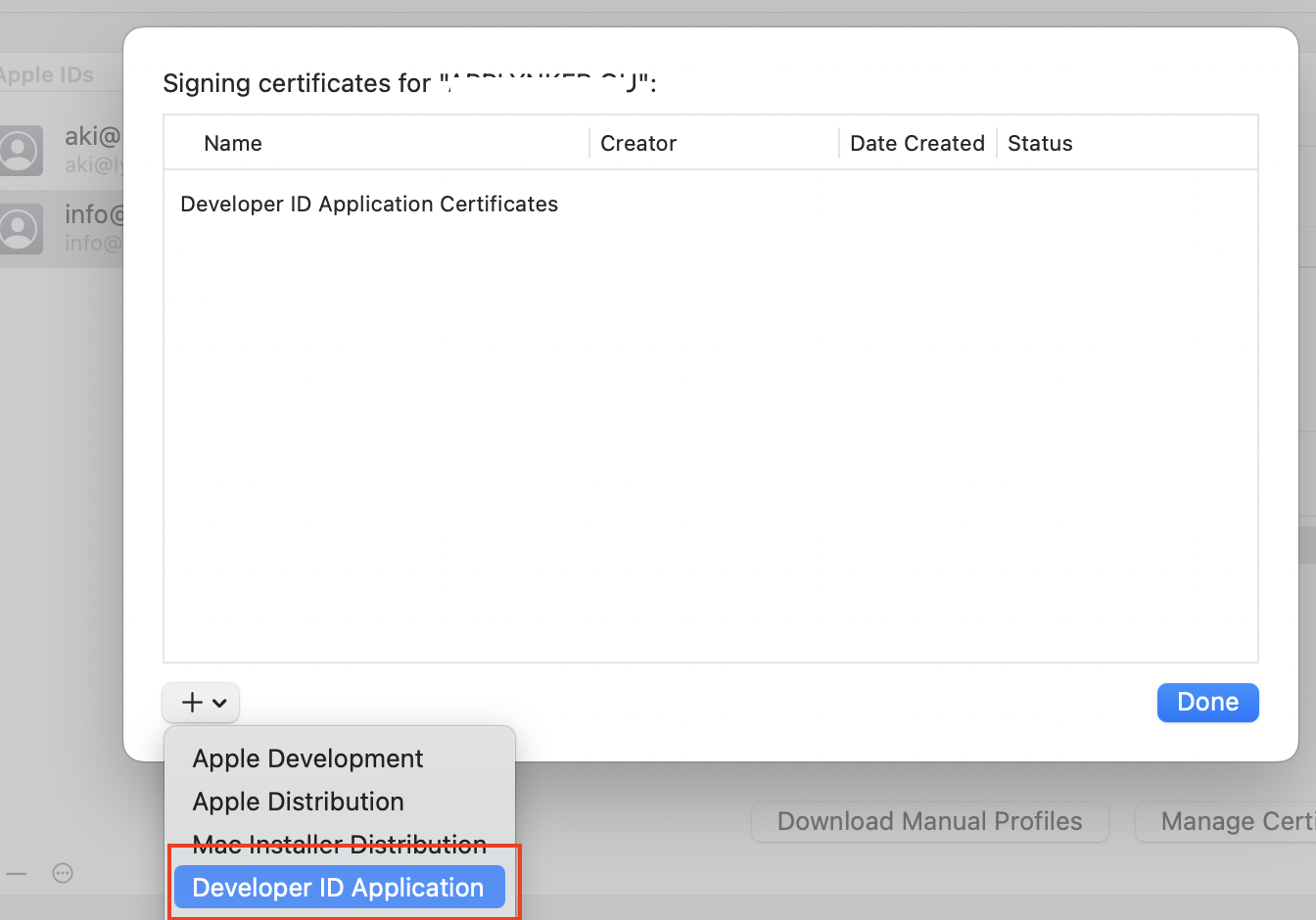
Once done, run the above security find-identity -v -p codesigning command again, you should be able to see an item marked with “Developer ID Applicaiton”, grab its string ID.
4, Create gon configuration file
Go to your wails application’s build/darwin folder, create 3 files:
1, gon-sign.json
1 | { |
sourceis the application pathbundle_id: you can use your subdomain as the app’s bundle idapple_id: username is the your apple id; password, you need to get an application specific password. Go to https://appleid.apple.com/ , sign in, then click “App-Specific Password”. The password is like xxxx-xxxx-xxxx-xxxx. Copy and paste it as the password field, “@env:xxxx-xxxx-xxxx-xxxx”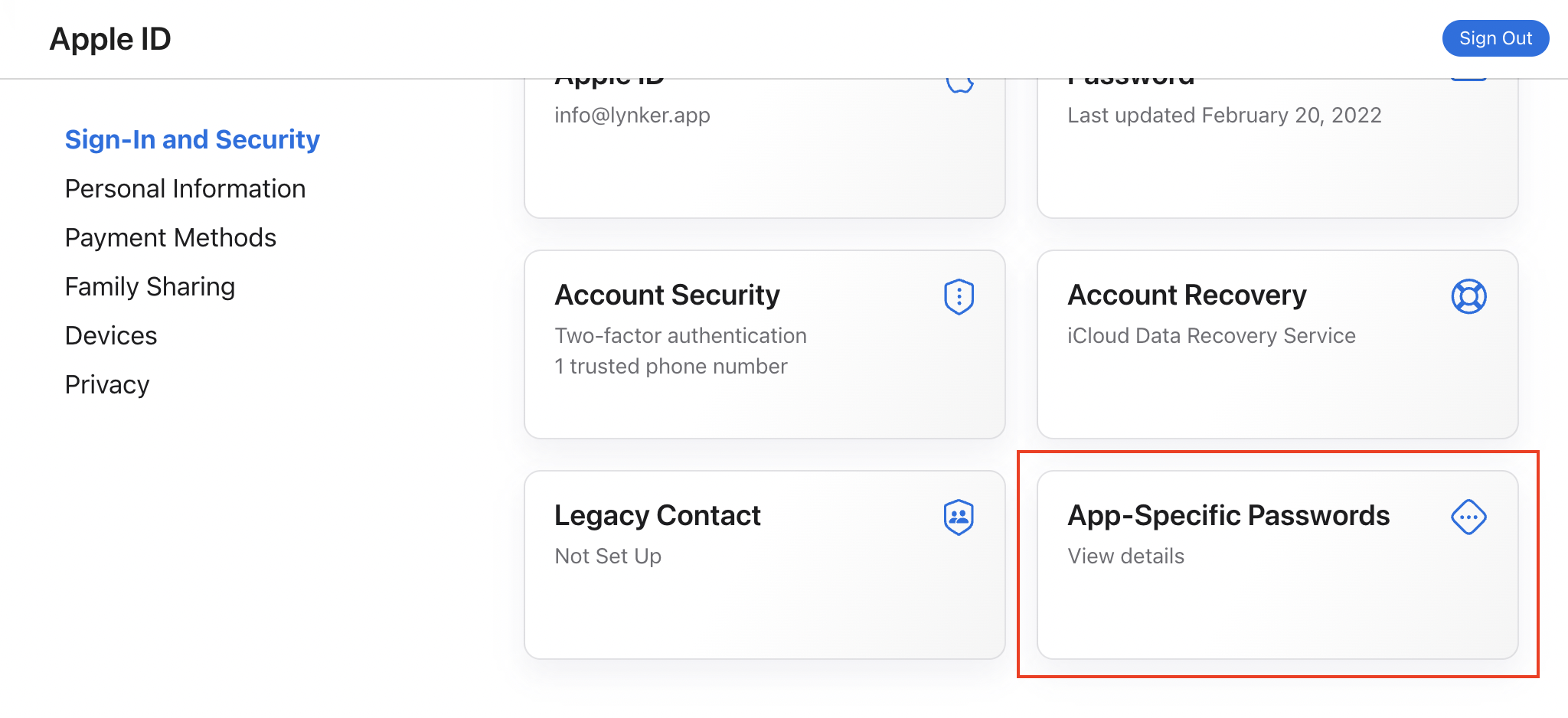
sign.application_identity: the string ID you grabbed with thesecurity find-identity -v -p codesigningcommand.
2, entitlements.plist
In this file you configure the entitlements you need for you app, e.g. camera permissions if your app uses the camera. Read more about entitlements here.
1 |
|
3, Open the Info.plist file in this folder (build/darwin), change the CFBundleIdentifier, make sure its value is the same as the “bundle_id” field in your gon-sign.json:
1 | <key>CFBundleIdentifier</key><string>app.example.appname</string> |
5, Sign the app
Now go to your wails project root folder, run:
1 | gon -log-level=info ./build/darwin/gon-sign.json |
If success, it will sign the app under your build/bin folder. Now you can send this app to other macbook. When other macbooks try to open it, the user can go to “System Preferences & Privacy” > “Open it anyway”.